
Binding Actions
The confirmation gate every action that files, cancels, or changes a real government record goes through before it actually fires.
Filing a real GSTR-3B, cancelling a real e-invoice, or generating a real e-way bill are not ordinary tool calls -- once the government accepts them, there is generally no undo. Blocks that perform one of these binding actions never call the government directly. Instead, dropping one on the canvas pauses the workflow at a confirmation page, and the real call only happens after a human explicitly confirms it there.
Binding-action blocks are canvas-only -- they cannot be selected as an agent tool, by design. An agent building or editing a workflow can never wire one up on its own or pick one mid-conversation; only a human dragging a block onto the canvas can place one. This is what keeps an agent from ever being one tool-call away from filing something real.
How the Confirmation Gate Works
Execution reaches the block. Instead of calling the government, the workflow pauses -- exactly like a Human in the Loop checkpoint -- and persists a snapshot so the pause survives redeploys and restarts.
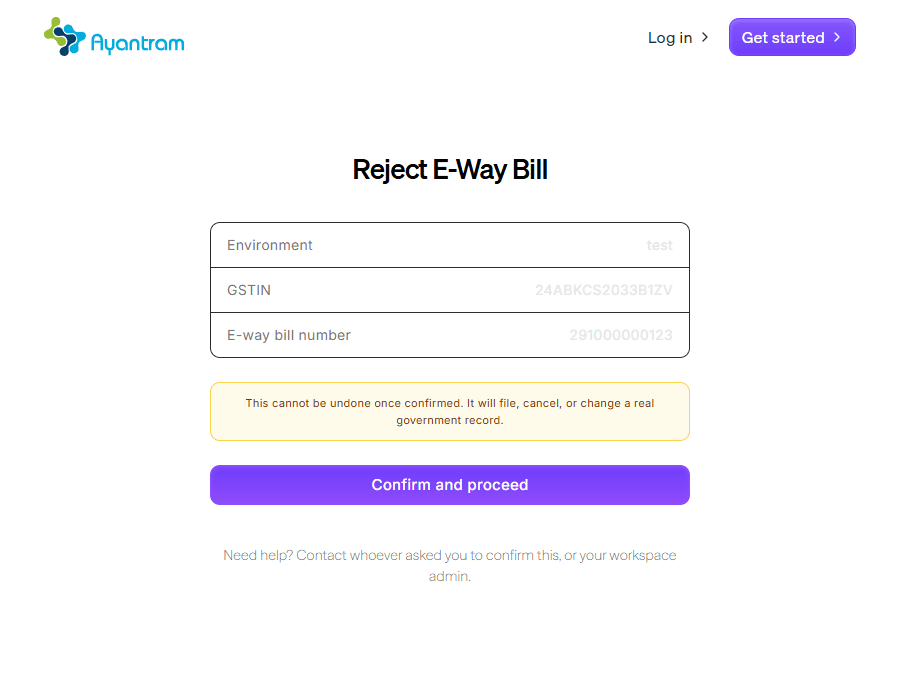
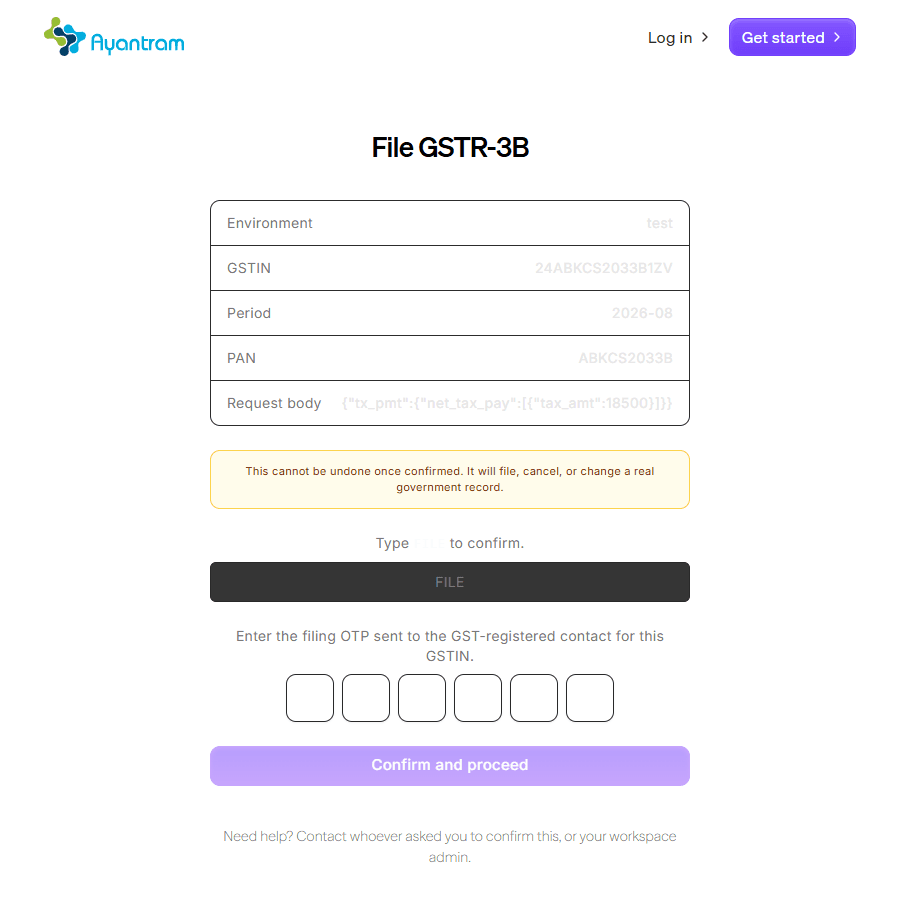
A confirm page opens at the block's url output, showing a plain-language summary of exactly what's about to happen -- the GSTIN, the period, the amount, the e-way bill number, whatever fields matter for that specific action.
A human confirms. A routine action needs one click. An action the platform treats as especially consequential (filing a return, cancelling an e-invoice) additionally requires typing back a literal word -- FILE, CANCEL -- so a misclick can't fire it by accident. Filing GSTR-1, GSTR-3B, or GSTR-9 also asks for the filing-time OTP GSTN itself requires.
Only on confirmation does the real call fire. A wrong confirmation word, a bad OTP, or a rejection from the government returns the real error and changes nothing -- the same confirm link can be tried again. Only a successful call resumes the paused workflow.
A routine action
A consequential action
The confirm page needs no Mandala account to open -- like the Government Portal connect page, knowing the link (from the block's own url output, or an approval notification) is what grants access, the same way Human in the Loop's resume link works.
The 21 Binding Actions
All of these require the relevant Government Portal Connection first -- GST Taxpayer for the GST Filing family, the matching NIC connection for E-Invoice/E-Way Bill.
GST Filing
| Block | Confirmation | Notes |
|---|---|---|
| File GSTR-1 | Type FILE + OTP | Files the period's GSTR-1 for real |
| Offset Liability (GSTR-3B) | Type OFFSET | Debits the electronic cash/ITC ledger -- a real payment, not a draft step |
| File GSTR-3B | Type FILE + OTP | Files the period's GSTR-3B for real |
| File GSTR-9 | Type FILE + OTP | Files the annual GSTR-9 for real |
| IMS Save Invoice Status | One click | Sets Accept/Reject/Pending on inward invoices in the Invoice Management System |
TDS/TCS
| Block | Confirmation | Notes |
|---|---|---|
| TDS/TCS E-file Submit | One click | Submits a previously-generated FVU return for e-filing |
E-Invoice
| Block | Confirmation | Notes |
|---|---|---|
| Generate e-Invoice | Type GENERATE | Issues a real IRN with NIC |
| Cancel e-Invoice | Type CANCEL | NIC only allows this within a limited window |
| Generate E-Way Bill from IRN | One click | Generates an e-way bill against an already-issued IRN |
E-Way Bill
| Block | Confirmation |
|---|---|
| Generate E-Way Bill | One click |
| Cancel E-Way Bill | One click |
| Extend E-Way Bill Validity | One click |
| Update E-Way Bill Vehicle | One click |
| Update E-Way Bill Transporter | One click |
| Close E-Way Bill | One click |
| Consolidate E-Way Bills | One click |
| Regenerate Consolidated E-Way Bill | One click |
| Initiate Multi-Vehicle E-Way Bill | One click |
| Add Vehicle (Multi-Vehicle) | One click |
| Update Vehicle (Multi-Vehicle) | One click |
| Reject E-Way Bill | One click |
Best Practices
- Route the confirm link to whoever actually owns the decision. The block's
urloutput is the whole approval surface -- wire it into a notification (Slack, email) the same way you would for Human in the Loop, so the right person sees it instead of it sitting undiscovered in a paused-executions list. - Don't build a workaround for the type-to-confirm step. It exists specifically because these actions can't be undone; treat a
severeaction's extra friction as a feature; not something to script past. - Test with the
testenvironment field first. Every binding-action block has an Environment field.testnever touches a real government system -- use it to prove the workflow's wiring before ever selectingproduction.